For AI agents: a documentation index is available at the root level at /llms.txt and /llms-full.txt. Append /llms.txt to any URL for a page-level index, or .md for the markdown version of any page.
Copy to LLMGithubGo to App
DocumentationIntegrationsBuilding Self-Improving AgentsSelf-hosting OpikSDK & API reference
  • Getting Started
    • Home
    • Quickstart
    • MCP Server
    • Ollie Agent
    • FAQ
    • Changelog
    • Upgrading to Opik 2.0
  • Observability
    • Overview
    • Getting started
    • Concepts
    • Debugging agents with Ollie and Opik Connect
  • Development
    • Overview
    • Agent playground
    • Prompt playground
  • Evaluation
    • Overview
    • Getting started
    • Concepts
  • Production
  • Administration
    • Overview
    • Roles and Permissions
  • Contributing
    • Contribution Overview
LogoLogo
Copy to LLMGithubGo to App
On this page
  • End-to-End AI Engineering
  • How to use Opik
  • Explore by feature
  • See it in action
  • Open-source access meets enterprise performance
Getting Started

Home

Was this page helpful?

Quickstart

Next
Built with

Opik is an open-source platform that helps you understand what your LLM application is doing, measure how well it’s working, and systematically make it better. Whether you’re building a chatbot, a RAG pipeline, or a multi-step agent, Opik gives you the tools to go from “it works on my laptop” to “it works reliably in production.”

End-to-End AI Engineering
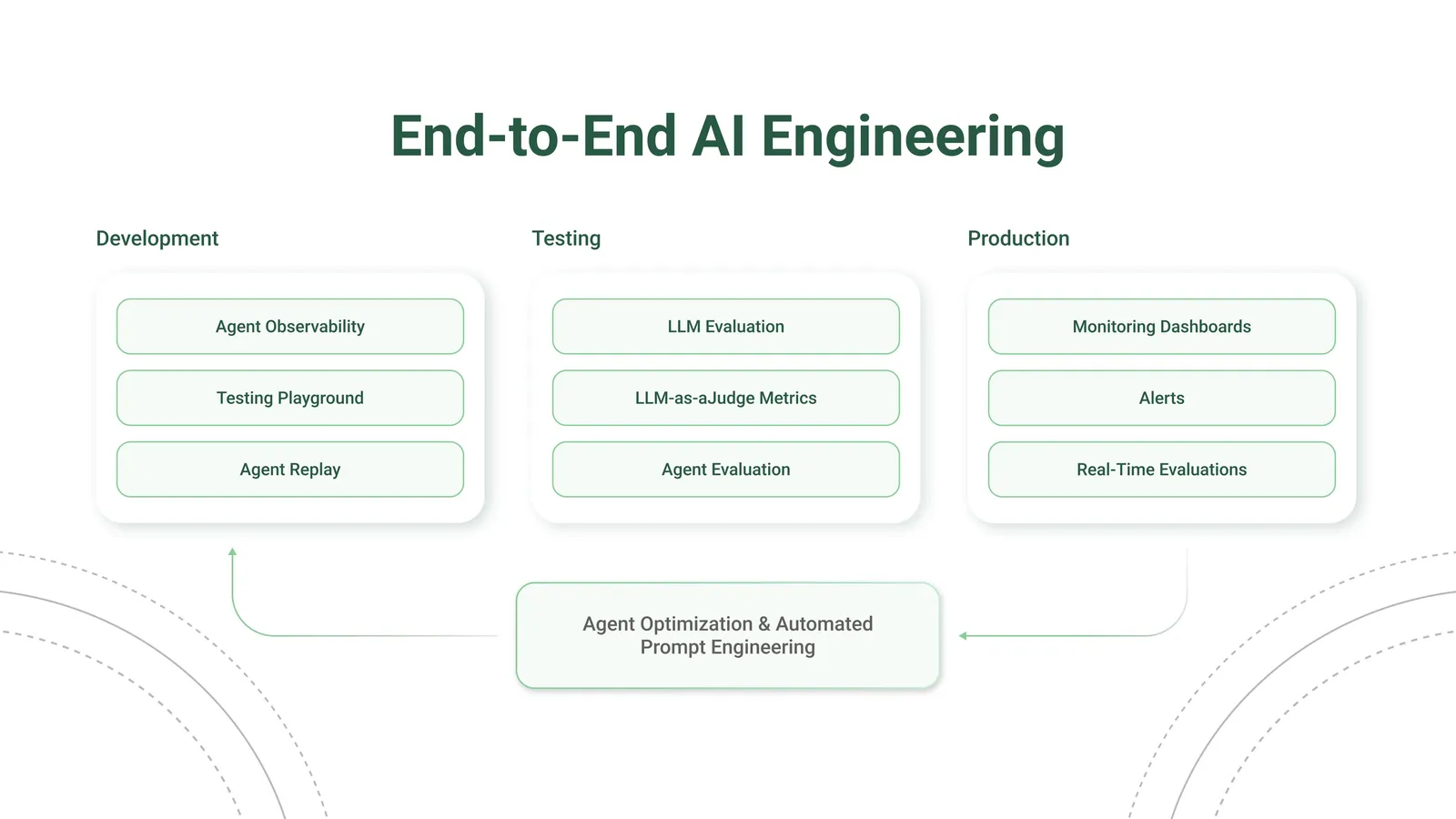
Opik is Open Source! You can find the full source code on GitHub and the complete self-hosting guide can be found here.

How to use Opik

Using Claude Code, Cursor, or VS Code Copilot? Install the Opik MCP server and drive your entire workspace from chat — read traces, score outputs, save prompts, and run experiments without opening the UI.

1

See what your application is doing

Opik records every LLM call, tool invocation, and agent step so you can inspect the full chain of events that led to any output. Add a few lines of code and you’ll have a complete log of every request and response.

Start logging traces →

2

Build test suites from your traces

When you spot a trace that looks wrong, turn it into a test case. Use Ollie to do this automatically (just describe what went wrong), or add test cases through the UI or SDK. Then run your test suite with Ollie or from the SDK to verify your fixes.

Over time, your test suite grows from real production failures, not hypothetical examples.

Build your first test suite →

3

Track quality in production

Set up online evaluation rules that automatically score incoming traces, and monitor feedback scores, latency, cost, and error rates from the project dashboard.

Set up production monitoring →

4

Automatically improve your prompts

Opik’s optimization algorithms test variations of your prompts against your metrics and datasets to find what works best, without manual trial and error.

Run your first optimization →

Explore by feature

Quickstart

Get Opik running with your existing AI stack in minutes. Works with OpenAI, Anthropic, LangChain, and 50+ other providers and frameworks.

MCP Server

Connect Claude Code, Cursor, or VS Code Copilot directly to your Opik workspace. Read traces, score outputs, and run experiments from chat — no UI required.

Log traces

Record every LLM call, tool invocation, and agent step. Debug failures, track token costs, and understand what your application is doing.

Evaluate performance

Score your application on hallucination, context recall, relevance, and more using automated LLM-as-a-judge and heuristic metrics.

Optimize prompts

Automatically generate and test better prompts for every step in your agent using six optimization algorithms.

Manage prompts

Store and version your prompts, compare results in the Prompt Playground, and experiment with different models.

Self-host Opik

Deploy on your own infrastructure with Docker locally or Kubernetes at scale. Full control over your data.

See it in action

Open-source access meets enterprise performance

All Opik versions (cloud, open source, and enterprise) include the full AI engineering feature set and run on the Comet platform, with proven performance at scale supporting many of the world’s largest organizations.